
Free
$0
Browse the 150-exercise library, view the 3D mannequin and AR demos, log workouts manually with RPE, keep the last 7 workouts in history, enter body measurements, switch theme and language.
Forever free. No card required.
Log every set, browse 150 exercises in 3D, generate a personalised plan from an 8-question quiz, record your form and get on-device AI feedback. Local-first. Zero servers. Your data never leaves your device.
Free to use. Pro is $4.99/month with a 7-day free trial.
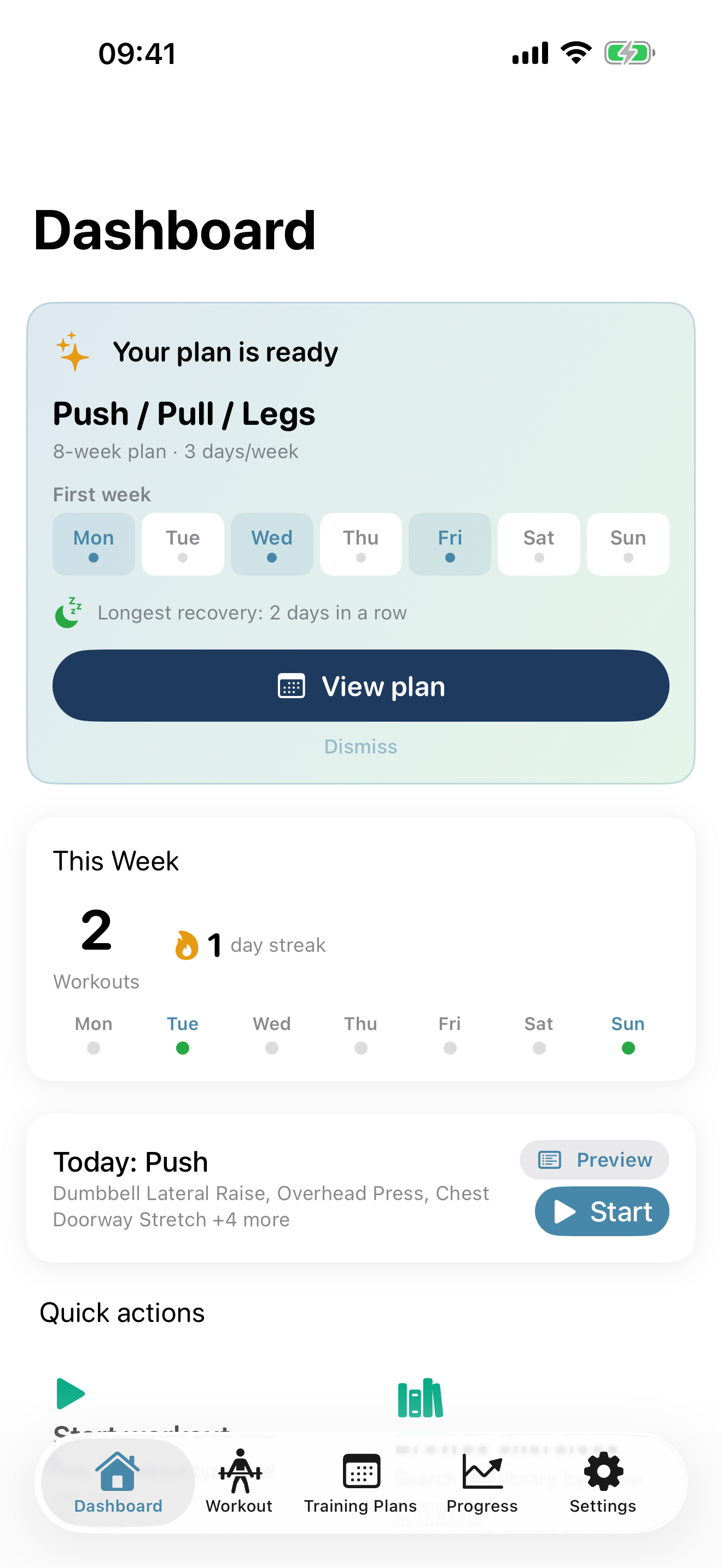
Built for iPhone first. No accounts, no cloud accounts, no tracking — your training data stays with you.
Log strength and cardio with weight, reps, and RPE for every set.
Curated compound, isolation, cardio, plyometric, and stretching exercises with form tips and a custom RealityKit mannequin demonstrating each one.
An 8-question quiz generates a personalised plan tailored to your goal, experience, equipment, schedule, and focus muscles. Or pick from 6 starter templates and customise.
Record a 15–60 second clip, optionally import from Photos, get on-device pose estimation + rule-based feedback + an Apple Intelligence coach summary (where supported).
Animated demonstrations of all 150 exercises with muscle highlighting, a configurable skin tone, and full gesture controls.
Drop a life-size 3D exercise demo in your space. Pinch to scale, double-tap to reset. Optional, no impact on devices without AR.
Start a workout on iPhone and your Apple Watch opens straight to the live set logger — a real workout session that records heart rate and active energy to Apple Health and your Activity rings. Optional breathing-rhythm haptics pulse inhale/exhale cues to your wrist, iPhone-driven over WCSession.
Auto-computed 1RM and rep PRs across every exercise. Delta indicators show all-time best vs. last session.
Body-measurement tracking with a built-in BMI explainer, weekly volume, muscle-group distribution, and visual delta indicators. Every weight and measurement renders in your units — metric or imperial, app-wide. Optional progress reminders (weekly / biweekly / monthly).
English, Spanish, German, French, Brazilian Portuguese, Japanese, Simplified Chinese, and Russian. Change language without restarting the app.
Zero third-party SDKs, no analytics, no trackers, no ads. SwiftData on-device with optional iCloud private-database sync through your own Apple ID. Your data never reaches our servers because there are no servers.
Pro unlocks training plans, analytics, video form analysis, and Watch breathing haptics. $4.99/month with a 7-day free trial.
$0
Browse the 150-exercise library, view the 3D mannequin and AR demos, log workouts manually with RPE, keep the last 7 workouts in history, enter body measurements, switch theme and language.
Forever free. No card required.
$4.99 / month
Everything in Free, plus training programs and AI quiz plans, manual plan editing, progress charts and personal records, unlimited workout history, video form analysis with Apple Intelligence narrative, Apple Watch auto-launch + breathing haptics, and CSV / JSON data export.
Cancel anytime in iOS Settings → Apple ID → Subscriptions.
| Capability | Free | Pro |
|---|---|---|
| Browse 150 exercises + 3D mannequin + AR | ✓ | ✓ |
| Manual workout logging (strength + cardio) with RPE | ✓ | ✓ |
| Last 7 workouts in history | ✓ | — |
| Unlimited workout history + search | — | ✓ |
| Manual body measurement entry | ✓ | ✓ |
| Training programs (6 starter templates + customize) | — | ✓ |
| AI quiz plan (8 questions) | — | ✓ |
| Progress charts / trends | — | ✓ |
| Personal records (1RM / rep PRs) | — | ✓ |
| Body measurement insights (BMI category, trends) | — | ✓ |
| Video form analysis (record + import + Vision + Apple Intelligence narrative) | — | ✓ |
| Apple Watch breathing-rhythm haptics | — | ✓ |
| Data export (CSV / JSON) | — | ✓ |
Anyone training with weights, bodyweight, or cardio who wants a clean iPhone-native log with the option of AI form feedback. Beginners get a guided quiz plan; intermediates get fast manual logging plus PRs; advanced users get unlimited history and CSV / JSON export.
No. Every feature works offline. AI form analysis runs entirely on-device. iCloud sync is optional and uses your own Apple ID.
Free includes the exercise library, manual logging, basic history (last 7 workouts), and body measurement entry. Pro adds training programs, the AI quiz plan, video form analysis with Apple Intelligence narrative, Apple Watch breathing haptics, progress charts, personal records, unlimited history, and data export.
Pro Monthly includes a 7-day free trial for new subscribers. Cancel any time during the trial in iOS Settings → Apple ID → Subscriptions to avoid charges. Trial eligibility follows Apple's standard rules — one trial per Apple ID per subscription group.
Stays on your device. No analytics, no crash reporters, no ads. SwiftData stores your data locally; optional iCloud sync routes through your own Apple ID. Form-analysis clips are saved to the app's private Documents folder and never leave the device unless you explicitly export them.
No. Video form analysis works on every iPhone that meets the iOS deployment target — Vision-based pose estimation and rule-based feedback run everywhere. The Apple Intelligence narrative is an optional bonus that adds a coach-style summary on hardware that supports Apple Intelligence; on older hardware you simply don't see the narrative card.
No. Every other feature works iPhone-only. With a paired Watch, starting a workout on iPhone auto-opens the Watch to the live set logger (heart rate + calories to Apple Health), and the iPhone drives optional breathing-rhythm haptics over WCSession — no third-party connectivity.
No. AR is optional. The 3D mannequin runs in-app on every supported device; AR placement only activates on devices with ARKit and even then is gated behind an opt-in button.